
Stream Deck Neo: When a Workflow Becomes a Button
Elgato’s compact control panel gives digital routines a physical form—and turns the desk into a small operating console.
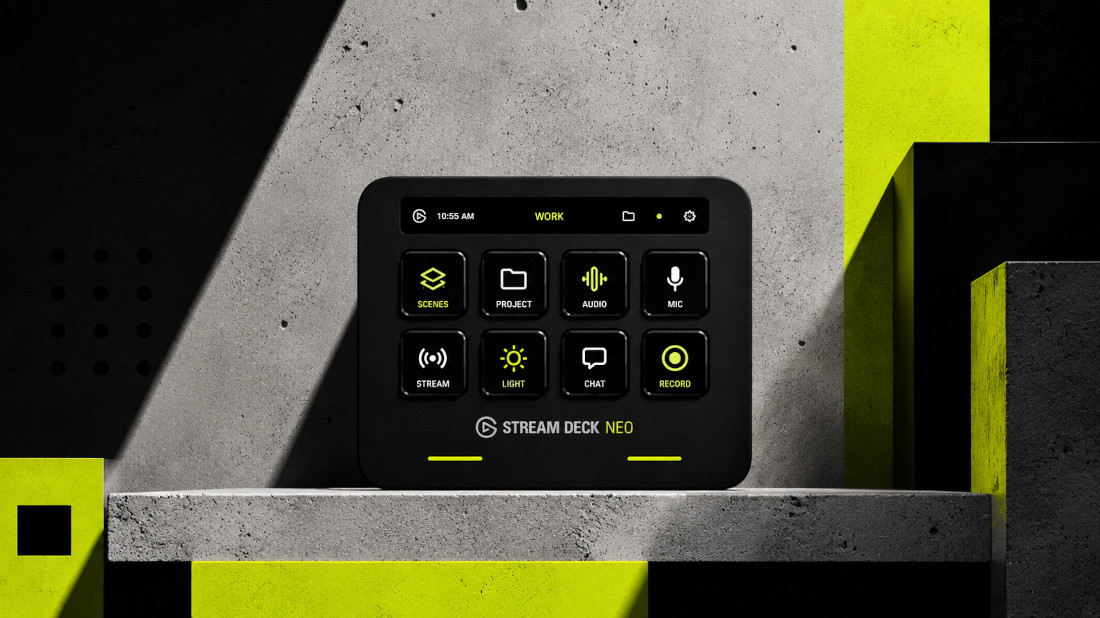
Most computer work remains hidden behind interfaces. Opening the right application, finding a command, switching windows, pasting a recurring response or preparing a meeting may require only a few seconds, but those seconds accumulate. More importantly, each action asks us to remember where something is and how it works.
The Stream Deck Neo proposes a different relationship with software. It places eight customizable LCD keys on the desk, adds an information bar, and uses two touch points to move between different pages of commands. Through Elgato’s software, each key can be assigned to an application, file, shortcut or sequence of actions.
Its origins are in the world of livestreaming, where creators need immediate access to cameras, microphones, scenes and effects. The underlying idea, however, belongs just as naturally to everyday work: frequent digital actions become visible, labeled and physically available.
This is what makes the Stream Deck more interesting than a collection of shortcuts. It is a small interface-design tool.
A key can mute a microphone, open a project, paste prepared text, control a presentation or launch several steps through a single multi-action command. Different pages can organize different contexts: meetings, writing, editing, administration or media. The device adapts to the user’s routine instead of asking the routine to conform to a fixed interface.
There is something deliberately old-fashioned in that idea. Physical controls remain useful because they reduce abstraction. A visible button does not have to be recalled, searched for or rediscovered inside a menu. It exists in space, develops familiarity and eventually becomes part of muscle memory.
The Stream Deck Neo brings that logic to software. It converts invisible procedures into a personal control surface.
Its eight keys may appear limited, but the touch controls provide access to additional layouts, while the information bar can display elements such as clocks or page labels. The result is less a keyboard extension than a small, configurable dashboard.
In an era moving toward agents, voice interfaces and increasingly autonomous systems, the illuminated button may seem almost primitive. Yet it solves a persistent problem: powerful software still needs an understandable point of contact with the human using it.
Sometimes the future of work looks like a system acting on our behalf. Sometimes it looks like eight buttons arranged exactly as we need them.